
Technology
Python Sort List: A Clear Guide to Sorting Lists in Python

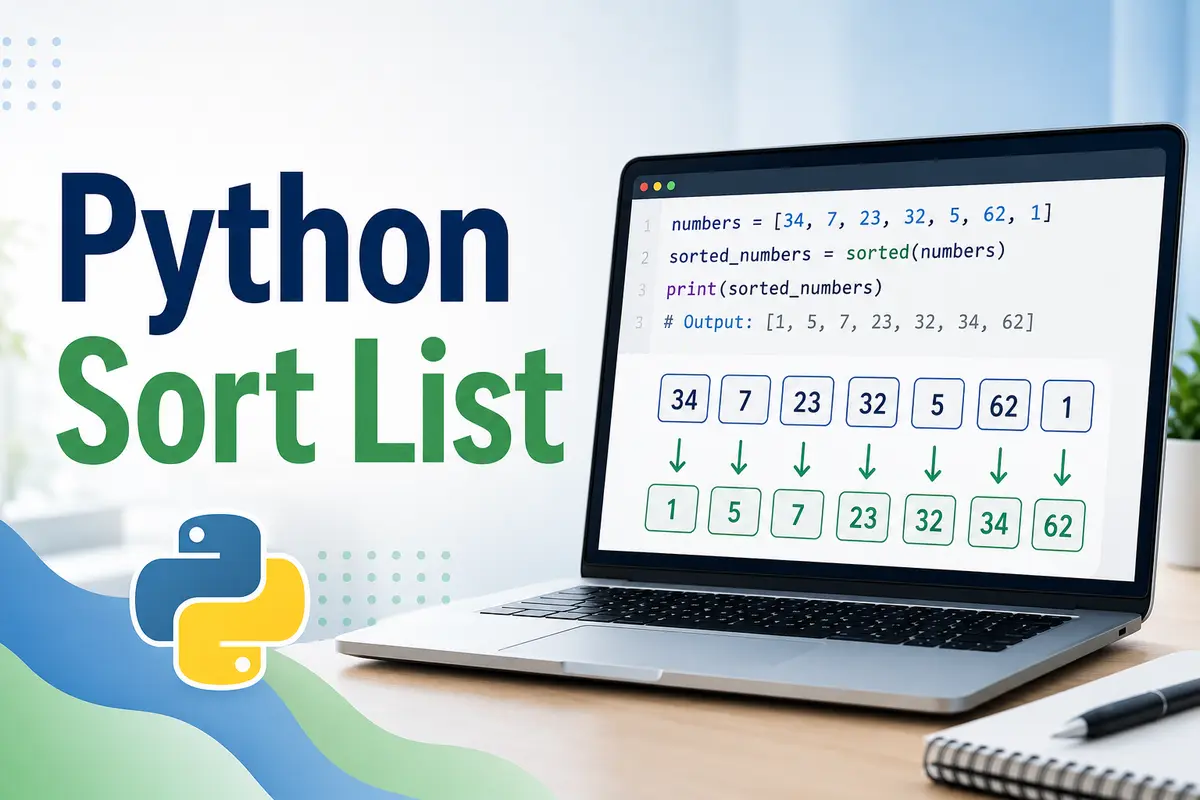
Sorting is one of the most common tasks in programming because data often needs to be arranged before it becomes useful. In Python, sorting a list means placing its items in a specific order, such as smallest to largest, largest to smallest, alphabetical order, or a custom order based on your own rule. The python sort list process is simple, but understanding the right method makes your code cleaner, faster, and easier to manage.
Why List Sorting Matters
Lists are used everywhere in Python, from storing names and numbers to handling database results, file data, product prices, scores, dates, and user records. When the data is unordered, it can be harder to search, compare, display, or analyze. Sorting helps turn raw information into something readable and practical. For example, an online store may sort prices from low to high, while a leaderboard may sort scores from highest to lowest.
The Main Ways to Sort a List
Python gives you two main ways to sort a list: the sort() method and the sorted() function. Both are useful, but they work differently. The sort() method changes the original list directly, while sorted() creates a new sorted list and keeps the original list unchanged. Choosing between them depends on whether you want to keep your original data safe or update it permanently.
Using the sort() Method
The sort() method is used directly on a list. It sorts the list in place, which means it changes the original list instead of making a new one. This is helpful when you do not need the old order anymore. The basic syntax is simple: list.sort(). For example, if you have a list of numbers, calling numbers.sort() will arrange them from smallest to largest by default.
numbers = [5, 2, 9, 1, 7]
numbers.sort()

print(numbers)
Output:
[1, 2, 5, 7, 9]Using the sorted() Function
The sorted() function is different because it returns a new sorted list. The original list stays exactly the same. This is useful when you need both versions: the original order and the sorted result. Many developers prefer sorted() when they want safer code, especially when working with data that should not be changed accidentally.
numbers = [5, 2, 9, 1, 7]
sorted_numbers = sorted(numbers)

print(sorted_numbers)
print(numbers)
Output:
[1, 2, 5, 7, 9]
[5, 2, 9, 1, 7]
Difference Between sort() and sorted()
The biggest difference is how they handle the original list. The sort() method modifies the same list, while sorted() creates a new one. Another difference is that sort() only works on lists, but sorted() can work with many iterable objects, including tuples, strings, sets, and dictionaries. For a simple python sort list task, both can work well, but the better choice depends on your goal.
Sorting Numbers in Python
Sorting numbers is usually the easiest case. Python automatically understands number order, so you do not need to add extra instructions. A list of integers or floating-point numbers can be sorted directly. By default, Python sorts numbers in ascending order, meaning from the smallest value to the largest value.
prices = [99.99, 49.50, 120.00, 15.75]
prices.sort()

print(prices)
Output:
[15.75, 49.5, 99.99, 120.0]Sorting Strings Alphabetically
Python can also sort strings alphabetically. This is useful when working with names, cities, categories, tags, or product titles. By default, uppercase letters may be sorted before lowercase letters because Python follows Unicode character order. If your list contains mixed uppercase and lowercase words, you may want to use a key function for cleaner results.
names = ["Zara", "Ali", "Bilal", "Hina"]
names.sort()

print(names)
Output:
['Ali', 'Bilal', 'Hina', 'Zara']Sorting in Reverse Order
Sometimes you need the opposite order, such as highest score first or newest year first. Python makes this easy with the reverse=True argument. This works with both sort() and sorted(). When you use reverse sorting, the list is arranged from largest to smallest or from Z to A for strings.
scores = [88, 95, 70, 100, 82]
scores.sort(reverse=True)

print(scores)
Output:
[100, 95, 88, 82, 70]Sorting with a Custom Key
The key argument is one of the most powerful parts of Python sorting. It lets you tell Python what value should be used for sorting. For example, you can sort words by length instead of alphabetical order. This is very useful in real projects where data often needs to be sorted by a special rule instead of the default order.
words = ["apple", "kiwi", "banana", "fig"]
words.sort(key=len)

print(words)
Output:
['fig', 'kiwi', 'apple', 'banana']Sorting a List of Dictionaries
In real applications, lists often contain dictionaries. For example, you may have a list of students, products, employees, or orders. To sort these lists, you usually use the key argument and choose which dictionary value should control the sorting. This makes python sort list techniques useful for practical data handling, not just basic examples.
students = [
    {"name": "Ali", "marks": 85},
    {"name": "Sara", "marks": 92},
    {"name": "Usman", "marks": 78}
]

students.sort(key=lambda student: student["marks"])

print(students)
Sorting by Multiple Conditions
Sometimes one sorting rule is not enough. For example, you may want to sort students by grade and then by name. Python supports this by allowing the key function to return a tuple. Python sorts by the first value first, and if two items have the same first value, it checks the second value.
students = [
    ("Ali", 85),
    ("Sara", 92),
    ("Ahmed", 85)
]

students.sort(key=lambda item: (item[1], item[0]))

print(students)
Output:
[('Ahmed', 85), ('Ali', 85), ('Sara', 92)]Case-Insensitive Sorting
When sorting text, uppercase and lowercase letters can affect the result. For example, "Apple" and "banana" may not appear in the order you expect. To sort strings in a natural alphabetical way, use key=str.lower. This compares the lowercase version of each word while keeping the original spelling in the final list.
fruits = ["banana", "Apple", "cherry", "apricot"]
fruits.sort(key=str.lower)

print(fruits)
Output:
['Apple', 'apricot', 'banana', 'cherry']Sorting Without Changing the Original List
If you are working with important data, changing the original list can create problems later. In that case, sorted() is the safer option. It lets you create a sorted copy while preserving the original order. This is especially useful when writing functions, building reports, or comparing before-and-after results.
original = [4, 1, 3, 2]
new_list = sorted(original)

print(original)
print(new_list)
Output:
[4, 1, 3, 2]
[1, 2, 3, 4]
Is Python Sorting Stable?
Yes, Python sorting is stable. This means that when two items have the same sorting value, their original order is preserved. Stability is important when sorting complex data in steps. For example, you can sort records by one field first and then by another field without losing the meaningful order of equal items.
Common Mistakes When Sorting Lists
A common mistake is expecting list.sort() to return a new list. It does not. The method returns None because it changes the list directly. Another mistake is sorting a list with mixed data types, such as numbers and strings together. Python may raise an error because it cannot compare different types in a meaningful way.
numbers = [3, 1, 2]
result = numbers.sort()

print(result)
Output:
NoneBest Practices for Sorting Lists
Use sort() when you want to update the original list and do not need the old order. Use sorted() when you want a new list and want to keep the original unchanged. Use key for custom sorting, and keep your sorting logic simple. For readable code, avoid writing complex sorting rules in one long line when a small helper function would be clearer.
Final Thoughts
The python sort list concept is easy to start with, but it becomes much more powerful when you understand sort(), sorted(), reverse, and key. These tools help you arrange numbers, strings, dictionaries, tuples, and real project data in a clean way. Once you know when to change the original list and when to create a new one, sorting becomes a natural part of writing better Python code.
More Details : CSS Padding: A Practical Guide to Spacing Inside Elements
FAQs
What is the easiest way to sort a list in Python?
The easiest way is to use list.sort() if you want to change the original list, or sorted() if you want a new sorted list.
Does sort() create a new list?
No, sort() changes the original list and returns None.
How do I sort a list from highest to lowest?
Use reverse=True with either sort() or sorted().
Can Python sort a list of dictionaries?
Yes, you can sort a list of dictionaries by using the key argument with a lambda function.
What is the difference between sort() and sorted()?
sort() modifies the original list, while sorted() returns a new sorted list and keeps the original unchanged.
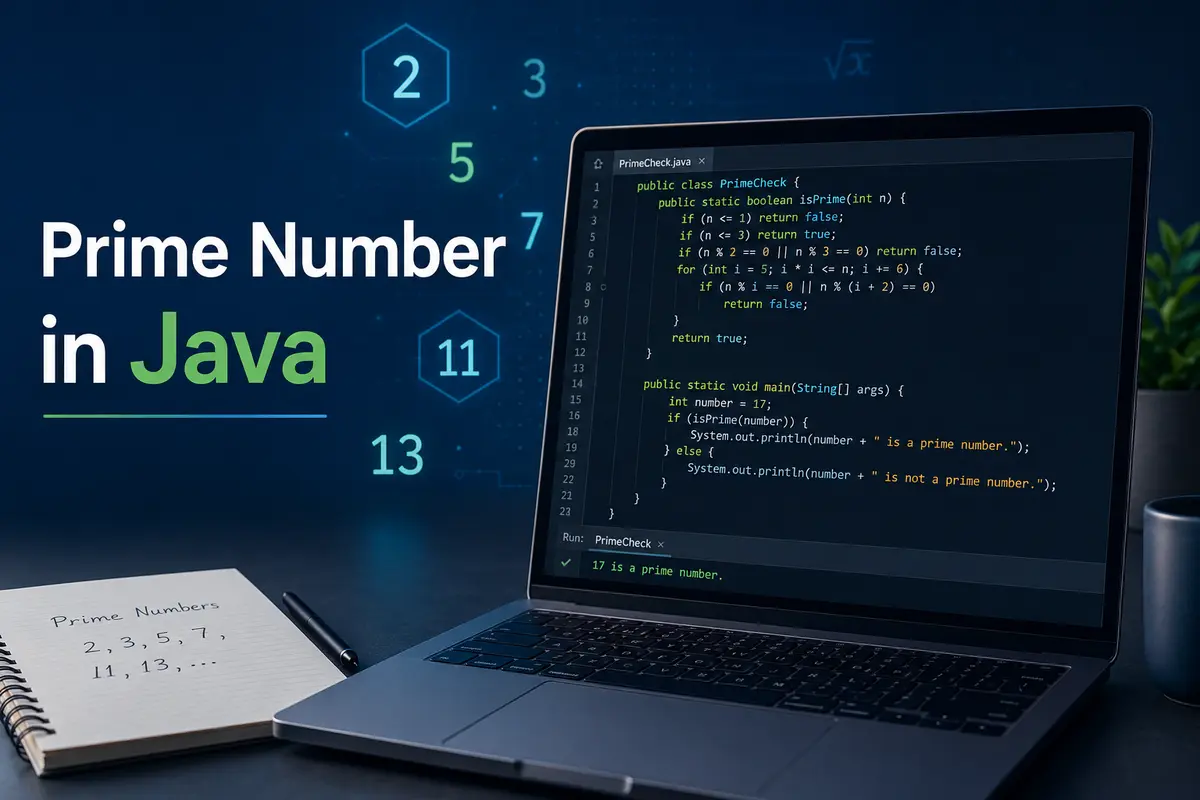
A prime number is a number greater than 1 that has only two factors: 1 and the number itself. In simple words, a prime number cannot be divided evenly by any other number except 1 and itself. For example, 2, 3, 5, 7, 11, and 13 are prime numbers.
Prime numbers are an important topic in programming because they help beginners understand loops, conditions, mathematical logic, and optimization. When learning Java, checking a prime number in Java is one of the most common practice problems.
Why Prime Numbers Matter in Programming
Prime numbers are not just a school-level math concept. They are widely used in computer science, especially in cryptography, hashing, number theory, and algorithm design. Many security systems depend on large prime numbers because they are difficult to factor.
For beginners, prime number programs are useful because they teach how to break a problem into smaller steps. You learn how to take input, use conditions, run loops, and improve performance. That is why the topic prime number in Java appears often in interviews and coding tests.
Basic Logic Behind Prime Number Checking
To check whether a number is prime, we need to test if it is divisible by any number other than 1 and itself. If a number has any divisor between 2 and one less than the number, then it is not prime.
For example, 9 is not prime because it is divisible by 3. But 11 is prime because no number between 2 and 10 divides it evenly. In Java, we usually use the modulus operator % to check divisibility.
Important Conditions Before Writing Code
Before writing the program, we should handle a few basic conditions. Any number less than or equal to 1 is not prime. The number 2 is prime because it has only two factors: 1 and 2.
Also, all even numbers greater than 2 are not prime. However, beginners usually start with a simple loop first, then improve the logic later. This makes the learning process easier and clearer.
Simple Program for Prime Number in Java
Here is a basic Java program to check whether a number is prime or not:
public class PrimeCheck {
    public static void main(String[] args) {
        int number = 29;
        boolean isPrime = true;

        if (number <= 1) {
            isPrime = false;
        } else {
            for (int i = 2; i < number; i++) {
                if (number % i == 0) {
                    isPrime = false;
                    break;
                }
            }
        }

        if (isPrime) {
            System.out.println(number + " is a prime number.");
        } else {
            System.out.println(number + " is not a prime number.");
        }
    }
}
This program checks every number from 2 to number - 1. If any value divides the given number completely, the program marks it as not prime and stops the loop.
How This Java Program Works
The variable number stores the value we want to check. The boolean variable isPrime starts as true, assuming the number is prime unless we find a divisor.
The if condition first checks whether the number is less than or equal to 1. If it is, the program immediately marks it as not prime. Otherwise, the loop starts from 2 and checks divisibility using the % operator.
Using Scanner for User Input
In real programs, we often want the user to enter a number. Java provides the Scanner class for this purpose. It allows the program to read input from the keyboard.
Here is an example:
import java.util.Scanner;

public class PrimeInput {
    public static void main(String[] args) {
        Scanner scanner = new Scanner(System.in);

        System.out.print("Enter a number: ");
        int number = scanner.nextInt();

        boolean isPrime = true;

        if (number <= 1) {
            isPrime = false;
        } else {
            for (int i = 2; i < number; i++) {
                if (number % i == 0) {
                    isPrime = false;
                    break;
                }
            }
        }

        if (isPrime) {
            System.out.println(number + " is a prime number.");
        } else {
            System.out.println(number + " is not a prime number.");
        }

        scanner.close();
    }
}
This version is more useful because it checks any number entered by the user. It is a good beginner-friendly example of prime number in Java.
Optimized Prime Number Logic
The basic program works, but it is not very efficient for large numbers. We do not need to check every number up to number - 1. Instead, we only need to check up to the square root of the number.
For example, if a number has a factor larger than its square root, it must also have a smaller matching factor. So, checking up to the square root is enough.
public class OptimizedPrimeCheck {
    public static void main(String[] args) {
        int number = 97;
        boolean isPrime = true;

        if (number <= 1) {
            isPrime = false;
        } else {
            for (int i = 2; i <= Math.sqrt(number); i++) {
                if (number % i == 0) {
                    isPrime = false;
                    break;
                }
            }
        }

        if (isPrime) {
            System.out.println(number + " is a prime number.");
        } else {
            System.out.println(number + " is not a prime number.");
        }
    }
}
This method is faster and cleaner. It is also better for interviews because it shows that you understand performance improvement.
Better Optimized Code Without Repeated Square Root
Although Math.sqrt(number) works fine, calling it again in every loop condition is not always ideal. We can store the square root value in a variable to keep the code simple.
public class BetterPrimeCheck {
    public static void main(String[] args) {
        int number = 97;
        boolean isPrime = true;

        if (number <= 1) {
            isPrime = false;
        } else {
            int limit = (int) Math.sqrt(number);

            for (int i = 2; i <= limit; i++) {
                if (number % i == 0) {
                    isPrime = false;
                    break;
                }
            }
        }

        System.out.println(isPrime ? "Prime number" : "Not a prime number");
    }
}
This approach improves readability and avoids repeated calculation. It is a small change, but small improvements matter when writing clean Java code.
Prime Number Program Using a Method
A better way to write Java code is to separate logic into methods. This makes the program easier to reuse and test. Instead of writing all logic inside main, we can create a method named isPrime.
public class PrimeMethod {
    public static boolean isPrime(int number) {
        if (number <= 1) {
            return false;
        }

        int limit = (int) Math.sqrt(number);

        for (int i = 2; i <= limit; i++) {
            if (number % i == 0) {
                return false;
            }
        }

        return true;
    }

    public static void main(String[] args) {
        int number = 31;

        if (isPrime(number)) {
            System.out.println(number + " is prime.");
        } else {
            System.out.println(number + " is not prime.");
        }
    }
}
This is one of the cleanest ways to write a prime number in Java program. The method returns true if the number is prime and false if it is not.
Printing Prime Numbers from 1 to 100
Sometimes the task is not just to check one number. You may need to print all prime numbers in a range. For example, printing prime numbers from 1 to 100 is a common beginner exercise.
public class PrimeRange {
    public static boolean isPrime(int number) {
        if (number <= 1) {
            return false;
        }

        for (int i = 2; i <= Math.sqrt(number); i++) {
            if (number % i == 0) {
                return false;
            }
        }

        return true;
    }

    public static void main(String[] args) {
        for (int number = 1; number <= 100; number++) {
            if (isPrime(number)) {
                System.out.print(number + " ");
            }
        }
    }
}
This program uses the same isPrime method and checks each number from 1 to 100. If the method returns true, the number gets printed.
Common Mistakes Beginners Make
One common mistake is treating 1 as a prime number. However, 1 is not prime because it has only one factor. A prime number must have exactly two factors.
Another mistake is forgetting to use break after finding a divisor. Without break, the loop continues even after the program already knows the number is not prime. This does not usually break the result, but it wastes time.
Time Complexity of Prime Number Program
The simple approach checks all numbers from 2 to n - 1, so its time complexity is O(n). This is acceptable for small numbers but slow for large values.
The optimized approach checks only up to the square root of the number, so its time complexity is O(√n). This is much better and is usually the preferred solution for checking a prime number in Java.
Final Thoughts
Learning how to check a prime number in Java is a great step for beginners because it builds a strong foundation in loops, conditions, methods, and optimization. The basic version helps you understand the logic, while the optimized version teaches better programming practice.
If you are preparing for coding interviews or improving Java basics, practice this problem in different ways. Try checking one number, printing prime numbers in a range, and writing reusable methods. These small exercises make your Java logic stronger over time.
FAQs
What is a prime number in Java?
A prime number in Java is checked using programming logic. The number must be greater than 1 and divisible only by 1 and itself.
Is 1 a prime number?
No, 1 is not a prime number because it has only one factor. A prime number must have exactly two factors.
Which operator checks divisibility in Java?
The modulus operator % checks divisibility. If number % i == 0, it means the number is divisible by i.
What is the fastest simple way to check a prime number?
The fastest simple way is to check divisibility only up to the square root of the number.
Why do programmers practice prime number programs?
Programmers practice prime number programs to improve logic, loops, conditions, methods, and basic algorithm skills.
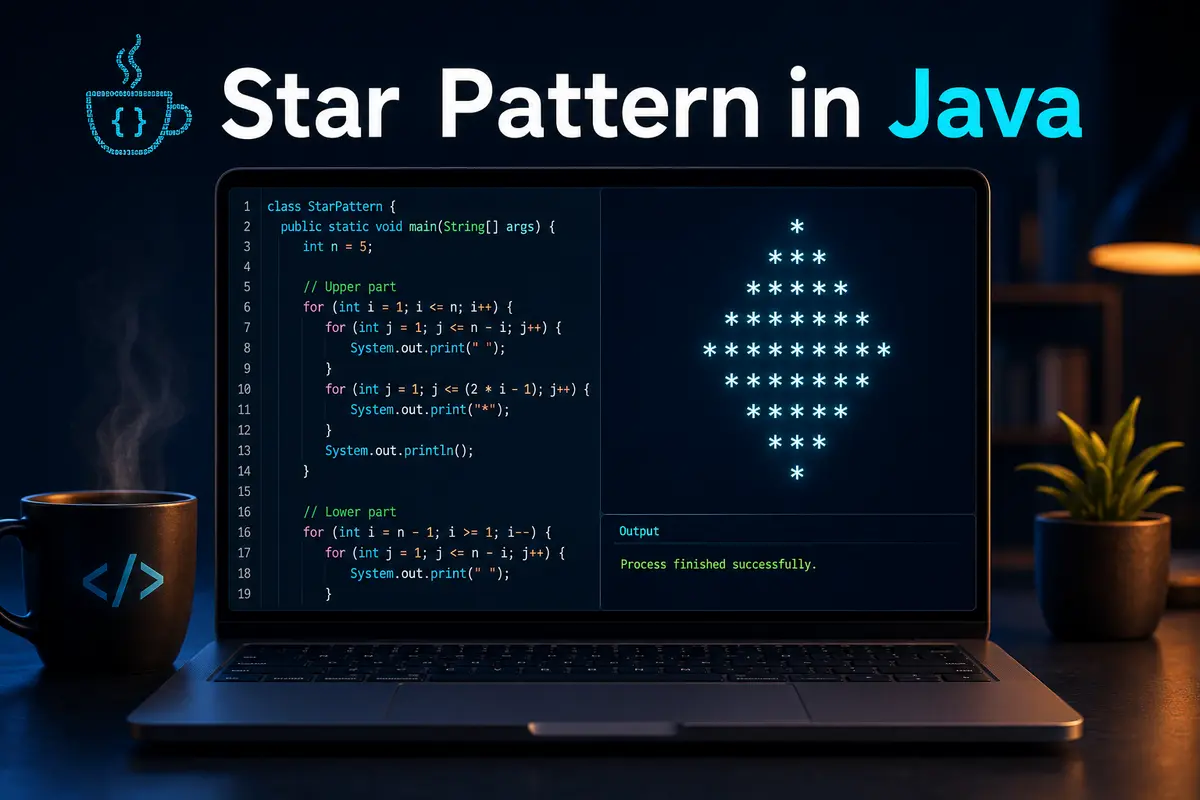
A star pattern in java is one of the most common beginner-level programming exercises. It helps new learners understand loops, nested loops, conditions, spacing, and output formatting. Although the idea looks simple, pattern programs build the kind of logic that developers use later in real coding tasks. When students practice these examples, they learn how a program controls rows, columns, symbols, and spaces step by step.
Why Star Patterns Matter
Many beginners ask why they need to learn pattern programs when real applications do not usually print stars on the screen. The answer is simple: pattern programs train your logic. They teach you how loops behave, how values increase or decrease, and how small changes in conditions affect the final output. This makes them useful for interviews, exams, and early programming practice.
Basic Concept
A star pattern in java usually works with rows and columns. The outer loop controls the number of rows, while the inner loop controls what appears inside each row. In most cases, the inner loop prints stars, spaces, or both. Once you understand this idea, you can create many different patterns by changing loop limits and print statements.
Simple Square Star Pattern
The square pattern is the easiest pattern to understand. It prints the same number of stars in every row. If the size is five, the program prints five rows, and each row contains five stars. This example is helpful because it introduces the basic structure of nested loops without adding spacing or complex conditions.
public class SquarePattern {
    public static void main(String[] args) {
        int n = 5;

        for (int i = 1; i <= n; i++) {
            for (int j = 1; j <= n; j++) {
                System.out.print("* ");
            }
            System.out.println();
        }
    }
}
Output of Square Pattern
The output of this program is simple and balanced. Each row has the same number of stars, so learners can easily see how the outer loop and inner loop work together. The outer loop moves to the next line, while the inner loop prints stars on the same line.
* * * * *
* * * * *
* * * * *
* * * * *
* * * * *
Right Triangle Star Pattern
A right triangle is another important star pattern in java because it shows how the inner loop can depend on the outer loop. In this pattern, the first row prints one star, the second row prints two stars, and the number keeps increasing until the final row.
public class RightTrianglePattern {
    public static void main(String[] args) {
        int n = 5;

        for (int i = 1; i <= n; i++) {
            for (int j = 1; j <= i; j++) {
                System.out.print("* ");
            }
            System.out.println();
        }
    }
}
Output of Right Triangle
This pattern teaches a useful rule: when the inner loop condition uses j <= i, the number of printed stars increases with each row. That is why the triangle grows from top to bottom. This logic is used in many beginner pattern questions.
*
* *
* * *
* * * *
* * * * *
Inverted Right Triangle
The inverted triangle works in the opposite direction. Instead of increasing the number of stars, it decreases them row by row. This pattern helps beginners understand how loop values can move downward. It also improves control over conditions where the output becomes smaller over time.
public class InvertedTrianglePattern {
    public static void main(String[] args) {
        int n = 5;

        for (int i = n; i >= 1; i--) {
            for (int j = 1; j <= i; j++) {
                System.out.print("* ");
            }
            System.out.println();
        }
    }
}
Output of Inverted Triangle
The first row contains the maximum number of stars, and each next row contains one less. This pattern is useful because it shows how decrement operators work in loops. It also prepares learners for more advanced shapes that combine increasing and decreasing logic.
* * * * *
* * * *
* * *
* *
*
Pyramid Star Pattern
The pyramid pattern is slightly more advanced because it uses both spaces and stars. Spaces appear before the stars to push them toward the center. After that, stars are printed in a controlled way to form a pyramid shape. This makes the program more useful for learning output alignment.
public class PyramidPattern {
    public static void main(String[] args) {
        int n = 5;

        for (int i = 1; i <= n; i++) {
            for (int space = 1; space <= n - i; space++) {
                System.out.print(" ");
            }

            for (int star = 1; star <= (2 * i - 1); star++) {
                System.out.print("*");
            }

            System.out.println();
        }
    }
}
Output of Pyramid Pattern
The pyramid pattern shows why spaces matter in programming output. Without spaces, the stars would appear as a simple triangle. With spaces, the shape becomes centered. This is an important step for anyone learning how to manage formatted text output.
    *
   ***
  *****
 *******
*********
Inverted Pyramid Pattern
The inverted pyramid starts with the widest row and becomes smaller with each line. It uses spaces first, then stars. However, the number of spaces increases while the number of stars decreases. This makes it a strong practice example for students who want to understand both loop directions together.
public class InvertedPyramidPattern {
    public static void main(String[] args) {
        int n = 5;

        for (int i = n; i >= 1; i--) {
            for (int space = 1; space <= n - i; space++) {
                System.out.print(" ");
            }

            for (int star = 1; star <= (2 * i - 1); star++) {
                System.out.print("*");
            }

            System.out.println();
        }
    }
}
Output of Inverted Pyramid
This output looks like a pyramid turned upside down. It helps learners see how changing loop direction affects the shape. It also makes spacing easier to understand because the empty space grows as the star count becomes smaller.
*********
 *******
  *****
   ***
    *
Diamond Star Pattern
A diamond is made by combining a pyramid and an inverted pyramid. The top part grows, and the bottom part shrinks. This is a popular interview and exam question because it checks whether a learner can combine two different loop structures in one program.
public class DiamondPattern {
    public static void main(String[] args) {
        int n = 5;

        for (int i = 1; i <= n; i++) {
            for (int space = 1; space <= n - i; space++) {
                System.out.print(" ");
            }
            for (int star = 1; star <= (2 * i - 1); star++) {
                System.out.print("*");
            }
            System.out.println();
        }

        for (int i = n - 1; i >= 1; i--) {
            for (int space = 1; space <= n - i; space++) {
                System.out.print(" ");
            }
            for (int star = 1; star <= (2 * i - 1); star++) {
                System.out.print("*");
            }
            System.out.println();
        }
    }
}
Output of Diamond Pattern
The diamond pattern improves problem-solving because it requires two parts to match properly. If the second loop starts from the wrong value, the middle line may repeat. That is why the lower part starts from n - 1 instead of n.
    *
   ***
  *****
 *******
*********
 *******
  *****
   ***
    *
Hollow Square Pattern
A hollow square prints stars only on the border. The inside area remains empty. This example introduces conditional logic inside nested loops. Instead of printing stars every time, the program checks whether the current position is on the first row, last row, first column, or last column.
public class HollowSquarePattern {
    public static void main(String[] args) {
        int n = 5;

        for (int i = 1; i <= n; i++) {
            for (int j = 1; j <= n; j++) {
                if (i == 1 || i == n || j == 1 || j == n) {
                    System.out.print("* ");
                } else {
                    System.out.print("  ");
                }
            }
            System.out.println();
        }
    }
}
Output of Hollow Square
This pattern is useful because it teaches decision-making inside loops. The program does not only repeat instructions; it also decides what to print based on row and column positions. That is an important concept for many real programming problems.
* * * * *
*       *
*       *
*       *
* * * * *
Common Mistakes
Beginners often make mistakes with spaces, loop limits, and System.out.println(). If println() is placed inside the inner loop by mistake, every star appears on a new line. If spaces are not counted properly, pyramids and diamonds lose their shape. Therefore, it is better to test each pattern slowly and understand the role of every loop.
Best Practice for Learning
When practicing a star pattern in java, do not memorize every program blindly. Instead, observe how rows and columns work. Start with simple patterns, then move toward pyramids, hollow shapes, and diamonds. Also, try changing the value of n to see how the output changes. This habit builds stronger logic than copying code without understanding it.
Where These Patterns Help
Pattern programs help in coding interviews, college assignments, and beginner Java practice. They also improve your comfort with loops, conditions, and formatted output. Once you understand these examples, it becomes easier to solve number patterns, alphabet patterns, matrix problems, and basic algorithm questions.
Conclusion
A star pattern in java may look like a small exercise, but it builds strong programming logic. It teaches nested loops, conditions, spacing, row control, and output formatting in a practical way. Beginners should start with square and triangle patterns, then move toward pyramids, diamonds, and hollow shapes. With regular practice, these programs make Java loops much easier to understand and apply in real coding problems.
FAQs
What is a star pattern in Java?
A star pattern is a program that prints stars in different shapes using loops and conditions.
Why are star patterns important for beginners?
They help beginners understand nested loops, spacing, conditions, and output formatting.
Which loop is best for star patterns?
The for loop is commonly used because it gives clear control over rows and columns.
Are star pattern programs asked in interviews?
Yes, they are often asked in beginner-level interviews, exams, and coding practice tests.
How can I get better at pattern programs?
Start with simple shapes, understand loop logic, then practice pyramids, diamonds, and hollow patterns.

Java 17 features brought an important shift for developers because Java 17 is a Long-Term Support release. That means companies, teams, and individual programmers can use it with more confidence for production projects. Instead of only adding small language updates, Java 17 improved performance, security, readability, and long-term maintainability. It also finalized some features that had been tested in earlier versions. As a result, Java 17 became one of the most important Java releases after Java 8 and Java 11.
Why Java 17 Matters
Java has always focused on stability, but modern software also needs cleaner syntax and better performance. Java 17 balances both needs well. It gives developers useful tools without forcing them to change everything in an existing codebase. For businesses, this matters because upgrading to a Long-Term Support version reduces risk and gives teams a stronger base for future development.
Another reason Java 17 matters is its practical nature. Many of its improvements help with everyday coding. Developers can write less boilerplate, handle data more clearly, and design safer applications. Because of this, Java 17 is not just a version upgrade. It is a better foundation for backend systems, enterprise applications, cloud services, and modern APIs.
Sealed Classes
Sealed classes are one of the most useful additions in Java 17. They allow developers to control which classes can extend or implement a class or interface. This gives better structure to object-oriented design because the parent class decides the exact list of allowed subclasses.
For example, imagine an application that handles different payment methods. You may want only a few approved types, such as card payment, bank transfer, and wallet payment. With sealed classes, you can stop unknown classes from extending your main payment type. This improves safety and makes code easier to understand.
public sealed class Payment permits CardPayment, BankTransfer {
}

final class CardPayment extends Payment {
}

final class BankTransfer extends Payment {
}
This feature is especially helpful when working with domain models. It gives developers more control while still keeping the benefits of inheritance.
Pattern Matching for instanceof
Before Java 17, developers often had to check an object type and then cast it manually. This made code longer and sometimes less readable. Pattern matching for instanceof solves this problem by combining the type check and variable declaration in one step.
Here is the older style:
if (obj instanceof String) {
    String text = (String) obj;
    System.out.println(text.length());
}
With Java 17, the same code becomes cleaner:
if (obj instanceof String text) {
    System.out.println(text.length());
}
This looks like a small improvement, but it matters in real projects. Cleaner type checks reduce noise and make logic easier to follow. It also lowers the chance of casting mistakes.
Records for Data Classes
Records are another major improvement in Java 17. They help developers create simple data-carrying classes without writing repeated boilerplate code. In older Java code, a basic class often needed fields, constructors, getters, equals, hashCode, and toString. Records generate these automatically.
For example:
public record User(String name, int age) {
}
This short code creates an immutable data class with useful built-in methods. Records are perfect for DTOs, API responses, configuration objects, and simple data models.
However, records are not meant to replace every class. They work best when the main purpose of the class is to store and transfer data. If a class needs complex behavior or mutable state, a regular class may still be better.
Text Blocks
Text blocks make multiline strings easier to write and read. Before this feature, developers had to use escape characters and string concatenation for SQL queries, JSON samples, HTML templates, or large messages. That often made code messy.
Java 17 allows developers to write multiline strings naturally:
String json = """
{
  "name": "Ali",
  "role": "Developer"
}
""";
This is cleaner and easier to maintain. Text blocks are useful when writing test data, query strings, documentation snippets, or small templates inside Java code. They also reduce mistakes caused by missing quotation marks or incorrect line breaks.
Switch Improvements
Java 17 also improves the switch experience compared with older Java versions. Modern switch expressions can return values directly, which makes some logic shorter and clearer. This helps when a value depends on a limited set of cases.
Example:
String result = switch (day) {
    case "MONDAY", "TUESDAY" -> "Workday";
    case "SATURDAY", "SUNDAY" -> "Weekend";
    default -> "Other day";
};
This style avoids unnecessary break statements and reduces common switch-related errors. It also makes code easier to scan because each case clearly points to its result.
Strong Encapsulation
Java 17 strongly encapsulates internal JDK APIs. In simple words, it makes it harder for applications to rely on private internal parts of the JDK. This change may affect older libraries or legacy applications that used unsupported internal APIs.
Although this can create upgrade work, it is a healthy change for long-term stability. Applications should depend on public, supported APIs instead of internal JDK details. This makes future upgrades safer and reduces the risk of unexpected breakage.
Performance Improvements
Performance is always important in Java applications, especially for backend systems and cloud services. Java 17 includes several improvements in garbage collection, runtime behavior, and platform support. These changes may not always require code changes, but they can still improve application efficiency.
For many teams, performance benefits become visible after testing real workloads. Some applications may see better memory behavior, faster startup, or smoother runtime performance. However, results depend on the project, framework, infrastructure, and JVM settings.
Security Updates
Security is another strong reason to upgrade. Java 17 removes outdated features and strengthens the platform. It also continues the move away from older, weaker security practices. For production systems, this is important because security issues can become costly if they are ignored.
Using a modern Java version helps teams stay closer to current security standards. It also makes it easier to use newer libraries and frameworks that expect a modern runtime. Over time, staying on an old Java version can increase both technical and security risk.
Removed and Deprecated Features
Every major Java release removes or deprecates some old features. Java 17 continued this cleanup by removing outdated tools and marking older technologies for future removal. This keeps the platform cleaner and more focused.
Developers upgrading from Java 8 or Java 11 should review removed and deprecated items before migration. Most modern applications will not face serious problems, but older enterprise systems may need code or dependency updates. A careful upgrade plan can prevent avoidable issues.
Best Use Cases for Java 17
Java 17 is a strong choice for enterprise applications, microservices, REST APIs, financial systems, Android-related backend services, and cloud-based platforms. Its Long-Term Support status makes it suitable for projects that need stability over many years.
It is also a good version for learning modern Java. Students and new developers can understand current Java style through records, text blocks, switch expressions, and pattern matching. These features make Java feel cleaner while still keeping its familiar structure.
Java 17 Upgrade Tips
Before upgrading, check your dependencies. Some older libraries may not fully support Java 17. Updating frameworks like Spring Boot, Maven plugins, Gradle versions, and testing libraries can make the migration smoother.
Next, run your full test suite. Unit tests, integration tests, and performance tests can reveal hidden issues. Also, check JVM flags because some old options may no longer work. A careful staged upgrade is better than rushing the migration in one step.
Conclusion
Java 17 features make the language cleaner, safer, and more practical for modern development. Sealed classes improve design control, records reduce boilerplate, text blocks make multiline strings readable, and pattern matching simplifies type checks. At the same time, Java 17 offers stronger security, better long-term support, and useful performance improvements. For developers and businesses, it is a smart upgrade because it keeps Java stable while making everyday coding more efficient.
FAQs
What is the biggest benefit of Java 17?
The biggest benefit is Long-Term Support, which makes Java 17 a stable choice for production applications and long-term projects.
Are records useful in real projects?
Yes, records are useful for simple data classes, DTOs, API responses, and immutable data objects.
Is Java 17 better than Java 11?
Yes, Java 17 includes newer language features, performance improvements, stronger security updates, and better modern development support.
Do I need to change all my code for Java 17?
No, most code does not need a full rewrite, but older dependencies and internal JDK API usage should be checked.
Is Java 17 good for beginners?
Yes, Java 17 is good for beginners because it supports modern syntax while keeping Java’s core structure easy to learn.
-

 Automotive2 weeks ago
Ironmartonline Reviews: Is This Equipment Broker Legit?
-

 Technology1 week ago
What Is qilszoxpuz7.4.0.8 Bankroll? A Clear Guide for Readers
-
 Technology1 week ago
CSS Padding: A Practical Guide to Spacing Inside Elements
-

 Healthcare1 week ago
Is Zealpozold Safe? Complete Safety Guide Before You Use It
-

 Crypto1 week ago
Rndcoin KR: What It Means, How It Works, and What Users Should Know
-

 Technology1 week ago
Details of GDTJ45 Builder Software: Complete Guide for Safe Use, Features, and Setup
-

 Technology1 week ago
Best Weather Apps for iPhone: Accurate Forecasts, Radar, Alerts, and Daily Planning
-

 Travel7 days ago
Travel Hobby: Why Exploring the World Is One of the Most Rewarding Passions